

WordPress.com is a hosted website service. WordPress.org is the home of the free WordPress software that you install on your own web hosting. The main difference is not the editor, the logo, or the name. It is who handles hosting, maintenance, technical control, plugins, themes, support, and long-term responsibility.
Choose WordPress.com if you want a simpler managed setup and would rather avoid most hosting decisions. Choose WordPress.org, often called self-hosted WordPress, if you want more control over hosting, code, plugins, themes, performance choices, and how your site grows.
Both can be good choices. They are just good for different reasons.
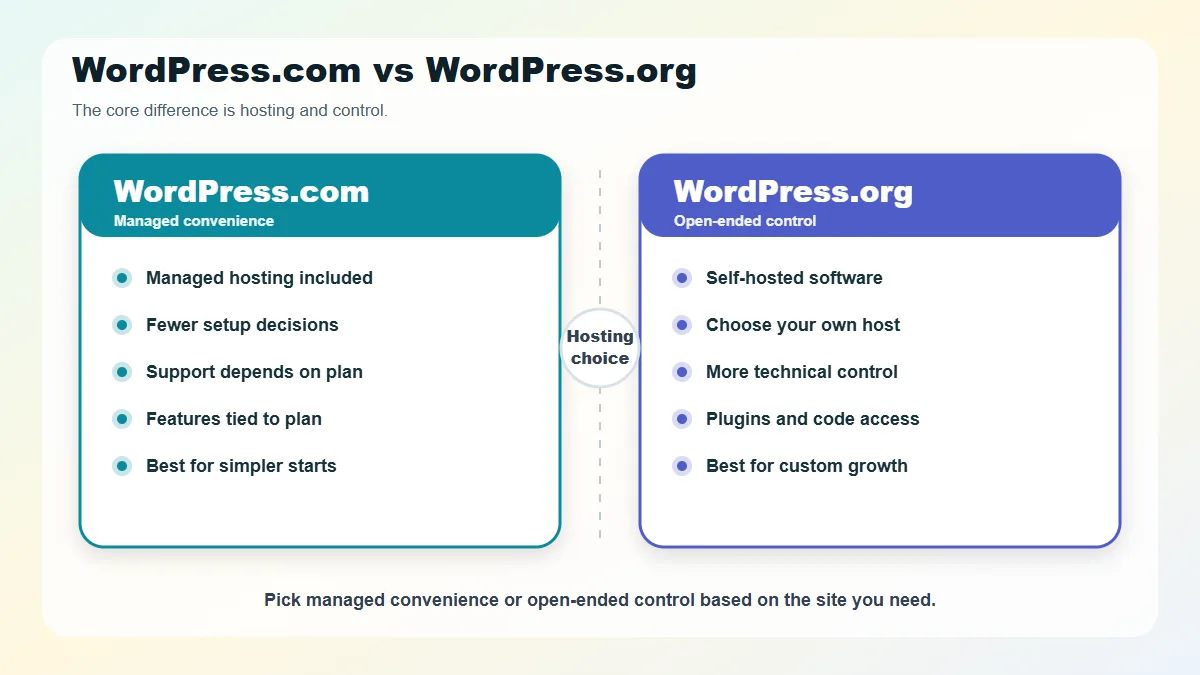
Table of Contents
- The Short Answer
- What Is WordPress.com?
- What Is WordPress.org?
- WordPress.com vs WordPress.org Comparison Table
- The Biggest Difference Is Hosting
- Cost: Which One Is Cheaper?
- Plugins and Themes: How Much Can You Customize?
- Ownership and Portability
- Security, Backups, and Maintenance
- Support: Who Helps When Something Breaks?
- SEO, Analytics, and Monetization
- Ecommerce: Which Is Better for an Online Store?
- Developer Control and Technical Access
- Which One Is Better for Beginners?
- When to Choose WordPress.com
- When to Choose WordPress.org
- Common Myths About WordPress.com vs WordPress.org
- Quick Decision Checklist
- FAQs About WordPress.com vs WordPress.org
- Is WordPress.com the same as WordPress.org?
- Which is better, WordPress.com or WordPress.org?
- Can I move from WordPress.com to WordPress.org?
- Do I need hosting for WordPress.com?
- Do I need hosting for WordPress.org?
- Can I use plugins on WordPress.com?
- Is WordPress.org harder to use?
- Which one should a small business use?
- Final Recommendation
The Short Answer
| Best Choice | Use It When |
|---|---|
| WordPress.com | You want hosting included, less technical maintenance, built-in support options, and a faster beginner setup. |
| WordPress.org | You want maximum control, flexible hosting, custom code access, fewer platform restrictions, and more responsibility for maintenance. |
The easiest way to think about it:
- WordPress.com is WordPress with managed hosting included.
- WordPress.org is WordPress software you use with a host you choose.
That one difference affects almost every other decision: cost, support, backups, plugin access, developer freedom, ecommerce, security, and how easy it is to move the site later.
If you are still learning the basics, it may help to first read our beginner guide, What Is WordPress?. This comparison assumes you already know WordPress is a content management system for building and managing websites.
What Is WordPress.com?
WordPress.com is a hosted website platform operated by Automattic. It runs on WordPress software, but the hosting, many technical settings, updates, performance tools, and support options are packaged into the WordPress.com service.
According to the official WordPress.com comparison guide, WordPress.com includes managed hosting, while WordPress.org requires you to find and manage hosting separately.
That means you create an account, choose a plan, pick a design, add your content, and build your site inside WordPress.com. You do not need to separately install WordPress on a hosting account.
WordPress.com is usually easier for beginners because it reduces the number of early decisions they have to make. You do not have to compare server settings, install WordPress manually, configure SSL, or choose a backup system before publishing your first page.
The trade-off is that the features available to you depend on the WordPress.com plan you choose and the platform rules that come with it.
What Is WordPress.org?
WordPress.org is the website for the free, open-source WordPress software project. When people say “self-hosted WordPress,” they usually mean downloading WordPress from WordPress.org, or installing it through a web host, and running it on hosting they control.
The official WordPress.org documentation explains that WordPress is the open-source publishing software project, while WordPress.com is a hosted service run by Automattic.
With WordPress.org, you still use WordPress. You still get the dashboard, themes, plugins, pages, posts, users, media library, and block editor. The difference is that you choose where the site lives.
Self-hosted WordPress usually means you are responsible for:
- Buying or connecting a domain name.
- Choosing a hosting provider.
- Installing WordPress, unless your host does it for you.
- Managing updates, backups, and security settings.
- Choosing themes and plugins.
- Fixing problems caused by plugin, theme, or hosting settings conflicts.
You get more freedom, but that freedom comes with more decisions.
WordPress.com vs WordPress.org Comparison Table
| Feature | WordPress.com | WordPress.org / Self-Hosted WordPress |
|---|---|---|
| Type | Hosted website service | Open-source software installed on your chosen host |
| Hosting | Included | You choose and pay for hosting separately |
| Setup difficulty | Easier for beginners | Depends on host and setup method |
| Cost structure | Free and paid plans, with features tied to plan level | Software is free, but hosting, domain, tools, and support may cost money |
| Plugin access | Available on paid plans, according to current WordPress.com pricing and support pages | Available without WordPress.com plan restrictions, though your host and plugin quality still matter |
| Theme control | Built-in themes; custom theme options depend on plan features | Full theme installation and custom theme development |
| Code access | More limited and plan-dependent | Much more open access to files, code, database, and server tools |
| Maintenance | Many technical tasks handled by WordPress.com | You or your host manage updates, backups, security, and performance |
| Support | WordPress.com support options depend on plan | WordPress.org forums, host support, plugin/theme support, or hired experts |
| Best for | Beginners, small sites, creators, simple business sites, and users who prefer managed hosting | Growing businesses, custom sites, developers, agencies, ecommerce, and users who want full control |
The Biggest Difference Is Hosting
Most confusion disappears once you focus on hosting.
Hosting is the service that stores your website files and makes your site available online. Every public website needs hosting somewhere.
With WordPress.com, hosting is included. WordPress.com describes its plans as all-in-one managed hosting, meaning you do not need a separate host for a WordPress.com site.
With WordPress.org, you bring your own hosting. You might use shared hosting, managed WordPress hosting, cloud hosting, a VPS, or a server maintained by your developer or agency.
This choice affects your day-to-day experience.
On WordPress.com, the platform handles many behind-the-scenes technical tasks. On WordPress.org, the quality of your site depends heavily on your hosting provider, your setup, and how well the site is maintained.
That is why the question is not really “WordPress.com vs WordPress.org.” It is closer to:
Do you want a managed WordPress platform, or do you want to choose and control your own WordPress hosting environment?
Cost: Which One Is Cheaper?
Neither option is automatically cheaper in every situation.
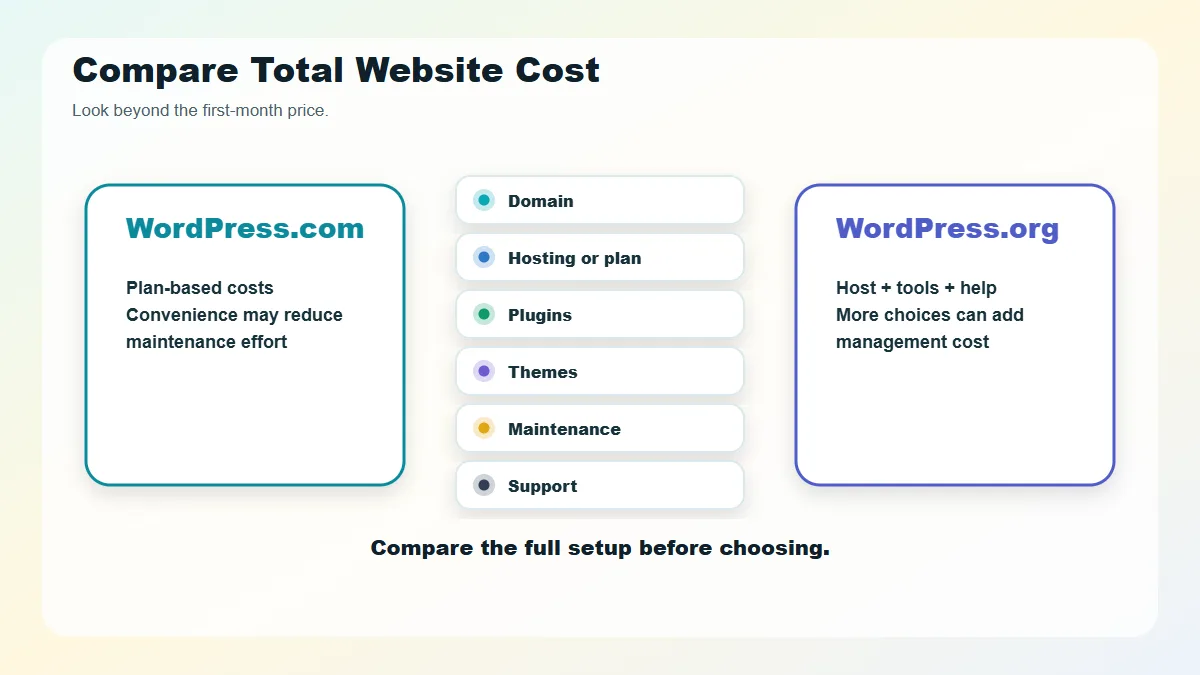
The WordPress software from WordPress.org is free, but a real self-hosted WordPress site usually still has costs:
- Domain name.
- Web hosting.
- Premium theme, if needed.
- Premium plugins, if needed.
- Security or backup tools, depending on hosting.
- Developer help, maintenance, or troubleshooting.
WordPress.com has a free plan and paid plans. As of July 26, 2026, the official WordPress.com pricing page states that paid plans may include features such as a custom domain, visitor ad removal, plugin installation, malware protection, and support, depending on billing and plan details. Pricing and plan features change, so editors should verify the plan table before publication.
Here is the practical cost difference:
| Situation | Likely Cost Pattern |
|---|---|
| Simple personal site | WordPress.com can be lower-friction, especially if the free plan is enough. |
| Small business site | Costs can be similar once you need a domain, plugins, premium design, support, and backups. |
| Custom business site | WordPress.org may be more flexible, but developer and maintenance costs can rise. |
| Multiple websites | WordPress.org may be more economical if one hosting setup supports several sites, but this depends on hosting quality. |
| Hands-off managed site | WordPress.com or managed WordPress hosting can cost more than cheap shared hosting, but may reduce maintenance work. |
Do not compare only the first-month price. Compare the full setup: hosting, domain, storage, support, backups, security, plugin access, renewal pricing, and who fixes problems when something breaks.
Plugins and Themes: How Much Can You Customize?
Plugins and themes are where many users first feel the difference.
A theme controls the design and layout of your WordPress site. A plugin adds features, such as contact forms, SEO settings, security tools, ecommerce, analytics, backups, or membership functionality.
On self-hosted WordPress.org, you can generally install any compatible theme or plugin. You can also upload custom themes, create child themes, edit files, work with PHP, connect developer tools, and build custom functionality.
On WordPress.com, plugin and theme access depends on the current plan rules. The official WordPress.com support and pricing pages currently state that plugin installation is available on paid plans. WordPress.com also says it may block potentially risky plugins, which can be a safety benefit but a limitation if you need unrestricted control.
This is a major freshness point. Older comparison articles often say WordPress.com requires the Business plan or higher for plugins. That advice may now be outdated, so check the current WordPress.com plan page before making a buying decision.
Choose WordPress.org if your project needs:
- Custom plugin development.
- Advanced theme customization.
- Direct file and database access.
- Custom PHP, JavaScript, or CSS work.
- Flexible developer workflows.
- Full control over hosting and server-level tools.
Choose WordPress.com if you want:
- A managed environment.
- Fewer technical choices.
- Built-in platform features.
- Support from WordPress.com.
- A simpler path to publishing.
Ownership and Portability
Both WordPress.com and WordPress.org let you own your content. The practical difference is how much of the surrounding environment you control.
With WordPress.org, you control the hosting account, site files, database, theme, plugins, and server-level choices. If you want to move hosts, you can migrate the site to another compatible hosting provider.
With WordPress.com, your content can be exported or migrated, and WordPress.com says users are free to move their site. But the exact migration experience depends on what your site uses: theme, plugins, custom code, plan features, ecommerce setup, forms, memberships, media, and third-party integrations.
For a simple blog, moving is usually manageable. For a business site with custom features, ecommerce, memberships, subscriptions, or many integrations, migration needs planning.
The safe rule: the more custom your site becomes, the more you should think about portability before you build.
Security, Backups, and Maintenance
WordPress.com reduces a lot of maintenance work because the platform handles many technical tasks for you. Its support documentation describes managed hosting as handling technical aspects such as backups, security, caching, and updates.
With WordPress.org, security and maintenance depend on your setup. A good managed WordPress host may handle backups, malware scanning, caching, SSL, staging, and updates. A cheaper hosting plan may leave more of that work to you.
Self-hosted WordPress maintenance usually includes:
- Updating WordPress core.
- Updating themes and plugins.
- Checking backups.
- Monitoring security alerts.
- Managing spam.
- Optimizing performance.
- Fixing plugin conflicts.
- Renewing domains, hosting, and licenses.
This does not mean WordPress.org is unsafe. It means the responsibility is distributed differently.
If you want to learn about broader planning, setup, customization, security, performance, and maintenance, our WordPress development guide explains how those pieces fit together.
Support: Who Helps When Something Breaks?
Support is another practical divider.
WordPress.com offers platform support options, with availability varying by plan. That can be valuable if you want one place to ask questions about your site, account, hosting, and platform features.
WordPress.org is a community project. You can use WordPress.org documentation, support forums, plugin support forums, theme documentation, host support, developer documentation, or paid expert help. That ecosystem is powerful, but it can feel scattered when you are new.
With self-hosted WordPress, the source of support depends on the problem:
| Problem | Who Usually Helps |
|---|---|
| Hosting outage | Hosting provider |
| Plugin bug | Plugin developer or support team |
| Theme layout issue | Theme developer or your designer |
| Custom code issue | Developer or agency |
| WordPress usage question | WordPress.org docs, forums, tutorials, or hired help |
If you want one managed platform, WordPress.com feels simpler. If you want control and are comfortable coordinating support across tools, WordPress.org gives you more room.
SEO, Analytics, and Monetization
Both WordPress.com and WordPress.org can support search-friendly websites, but the level of control differs.
With WordPress.org, you can choose SEO plugins, analytics tools, schema plugins, caching systems, image optimization tools, redirect managers, ecommerce SEO settings, and advanced tracking setups. That flexibility is useful for serious content sites, ecommerce stores, and businesses that need custom measurement.
With WordPress.com, SEO and analytics options depend on the plan and built-in features. Paid plans can unlock more advanced features, but you should confirm current plan limits before choosing.
For monetization, look beyond “can I make money?” and ask more specific questions:
- Can I run the ad network I want?
- Can I use affiliate links the way I need?
- Can I install the ecommerce plugin I prefer?
- Can I add custom checkout, tracking, or conversion scripts?
- Can I connect the analytics and email tools my business uses?
- Are there platform policies I need to follow?
If monetization is central to the site, self-hosted WordPress usually gives more flexibility. WordPress.com can still work well, especially when its plans and policies fit your business model.
Ecommerce: Which Is Better for an Online Store?
For ecommerce, the best choice depends on how simple or custom your store needs to be.
WordPress.org gives you broad flexibility with WooCommerce, payment gateways, shipping tools, tax plugins, subscriptions, memberships, product feeds, analytics, and custom checkout work. It is often the stronger choice when the store is a serious business asset, and you need control over many moving parts.
WordPress.com can also support ecommerce on suitable plans, and the managed environment may appeal to store owners who do not want to manage hosting directly.
Use this filter:
- Choose WordPress.com for a simpler managed store when its commerce features, payment options, and plan limits match your needs.
- Choose WordPress.org for a store that needs custom checkout behavior, specialized plugins, complex integrations, or developer-level control.
For ecommerce, always verify current payment, shipping, tax, plugin, backup, and support details before committing. Small differences in features can matter a lot once real orders are involved.
Developer Control and Technical Access
This is where WordPress.org usually wins.
If you are a developer, agency, or business planning a custom build, self-hosted WordPress gives you more direct control over the environment. You can choose the hosting architecture, manage server settings, use staging tools, edit theme and plugin code, integrate with Git workflows, work with WP-CLI, inspect the database, and build custom integrations.
WordPress.com also offers developer tools on certain plans and has official WordPress.com developer documentation explaining how WordPress.com hosting works for developers. Still, it remains a managed platform with platform rules.
That managed structure is helpful for many users. It is limiting for others.
If you need deep control, choose WordPress.org. If you need a managed WordPress environment and your developer needs fit within WordPress.com’s plan features, WordPress.com can be a practical option.
Which One Is Better for Beginners?
WordPress.com is usually easier for a complete beginner because it removes many setup decisions. You can start with an account, choose a plan, pick a design, and publish content without having to learn hosting terminology first.
WordPress.org can still be beginner-friendly if you choose a good host with one-click WordPress installation and managed features. But you will eventually need to understand hosting, backups, updates, security, plugins, and performance.
Use this beginner decision guide:
| Choose WordPress.com If… | Choose WordPress.org If… |
|---|---|
| You want the simplest path to publishing | You want to learn how WordPress websites really work |
| You do not want to manage hosting | You want to choose your host and technical setup |
| You prefer built-in support | You are comfortable using host support, forums, docs, or paid help |
| Your site is simple or moderately complex | Your site may need custom features later |
| You are okay with plan-based limits | You want more open-ended control |
There is no shame in choosing the simpler path. A finished, useful website is better than a perfect plan that never gets launched.
When to Choose WordPress.com
Choose WordPress.com when convenience matters more than maximum control.
It is a strong fit for:
- Personal blogs.
- Simple portfolio sites.
- Small brochure websites.
- Creators who want to publish quickly.
- Users who want hosting included.
- Beginners who want fewer technical decisions.
- Site owners who prefer managed support and maintenance.
WordPress.com is especially attractive when your site’s needs are clear, and the plan’s features match them. If the platform already includes what you need, you may not benefit from the extra responsibility of self-hosting.
When to Choose WordPress.org
Choose WordPress.org when control, flexibility, and long-term customization matter more.
It is a strong fit for:
- Business websites with custom requirements.
- Content sites built for SEO growth.
- Ecommerce stores with advanced needs.
- Membership sites.
- Course platforms.
- Agency-managed websites.
- Developer-led projects.
- Sites that need custom themes or plugins.
- Businesses that want control over hosting and technical architecture.
WordPress.org is not automatically better because it is more flexible. Flexibility is only useful if you need it and can manage it. But if you expect your site to become an important business asset, self-hosted WordPress is often the more adaptable foundation.
Common Myths About WordPress.com vs WordPress.org
Myth 1: WordPress.org is completely free
The software is free. A complete website usually is not. You still need hosting, a domain, and possibly paid tools or expert help.
Myth 2: WordPress.com is not real WordPress
WordPress.com runs on WordPress software. The difference is that it is a hosted service with managed platform features and plan-based controls.
Myth 3: WordPress.org means you personally host the site
“Self-hosted” usually means you choose a hosting company. Most site owners are not running a physical server themselves.
Myth 4: WordPress.com never allows plugins
That is outdated in many cases. The current WordPress.com support and pricing pages say that plugin installation is available on paid plans. Always verify the latest plan details before deciding.
Myth 5: WordPress.org is always better for SEO
WordPress.org gives more SEO control, but control does not guarantee rankings. Helpful content, site quality, technical performance, internal links, and search intent still matter.
Quick Decision Checklist
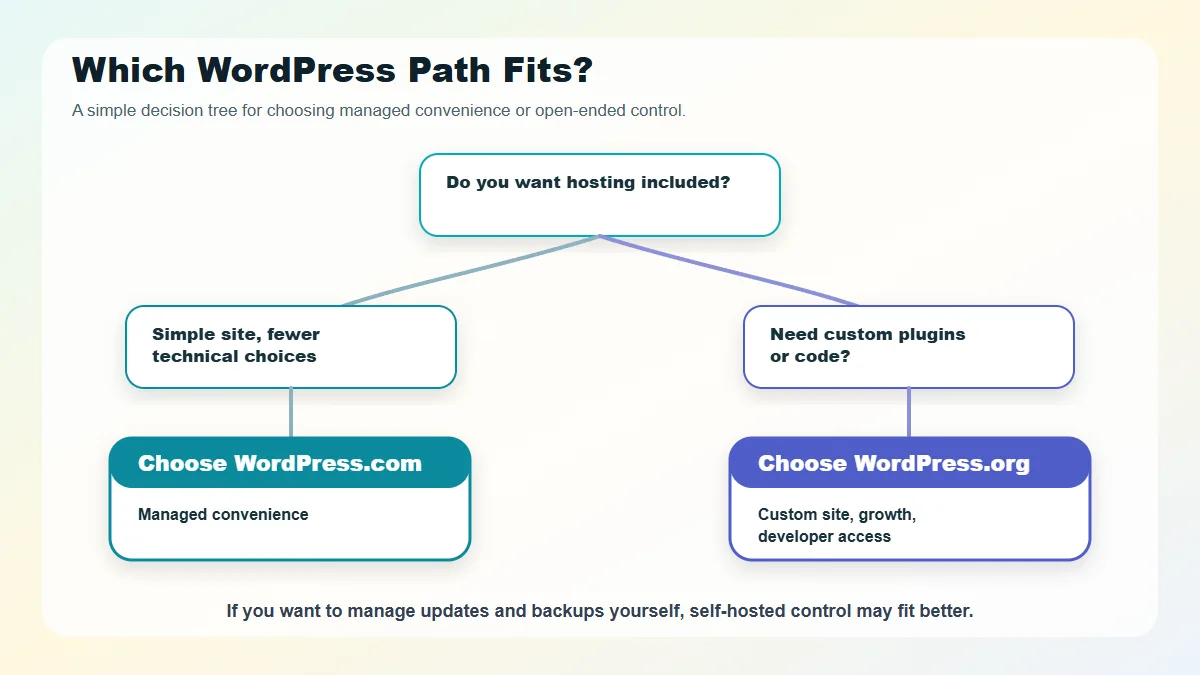
Use this checklist before choosing:
- Do I want hosting included?
- Do I need custom plugins or custom code?
- Am I comfortable maintaining updates, backups, and security?
- Will this site become a serious business asset?
- Do I need ecommerce, memberships, courses, or advanced integrations?
- Do I want a single support channel, or am I comfortable coordinating support across tools?
- How important is portability?
- What will the site cost after the first year?
- What happens if traffic grows?
- Who fixes the site if something breaks?
If most answers point toward simplicity, choose WordPress.com. If most answers point toward control and growth, choose WordPress.org.
FAQs About WordPress.com vs WordPress.org
Is WordPress.com the same as WordPress.org?
No. WordPress.com is a hosted service that runs on WordPress software. WordPress.org is the home of the free, open-source WordPress software that you install on your own hosting.
Which is better, WordPress.com or WordPress.org?
WordPress.com is better if you want a managed setup that includes hosting. WordPress.org is better if you want maximum control over hosting, plugins, themes, and code, as well as long-term customization.
Can I move from WordPress.com to WordPress.org?
Yes, migration is possible, but the difficulty depends on your site. A simple blog is usually easier to move than a store, membership site, or heavily customized website.
Do I need hosting for WordPress.com?
No. WordPress.com includes hosting. You do not need to buy separate hosting for a WordPress.com site.
Do I need hosting for WordPress.org?
Yes. WordPress.org provides the software, but you need a hosting provider to run a public website.
Can I use plugins on WordPress.com?
Yes, current WordPress.com support and pricing pages say plugin installation is available on paid plans. Plan features can change, so verify the latest WordPress.com plan details before buying.
Is WordPress.org harder to use?
WordPress.org can require more learning because you are responsible for hosting, updates, backups, security, and troubleshooting. A good managed WordPress host can make it much easier.
Which one should a small business use?
A simple small-business site can use WordPress.com if the plan’s features are sufficient. A business that needs custom design, advanced SEO tools, ecommerce, integrations, or developer control will usually be better served by WordPress.org.
Final Recommendation
Choose WordPress.com if you want WordPress with fewer technical decisions to make. It is the cleaner starting point for many beginners, personal sites, and simple business websites.
Choose WordPress.org if you want the most flexible version of WordPress and are willing to take responsibility for hosting, maintenance, and technical choices. It is usually the stronger long-term fit for custom websites, serious content projects, ecommerce, and businesses that expect their site to grow.
The names are confusing, but the decision is simpler than it first appears: WordPress.com offers managed convenience. WordPress.org gives you open-ended control.