
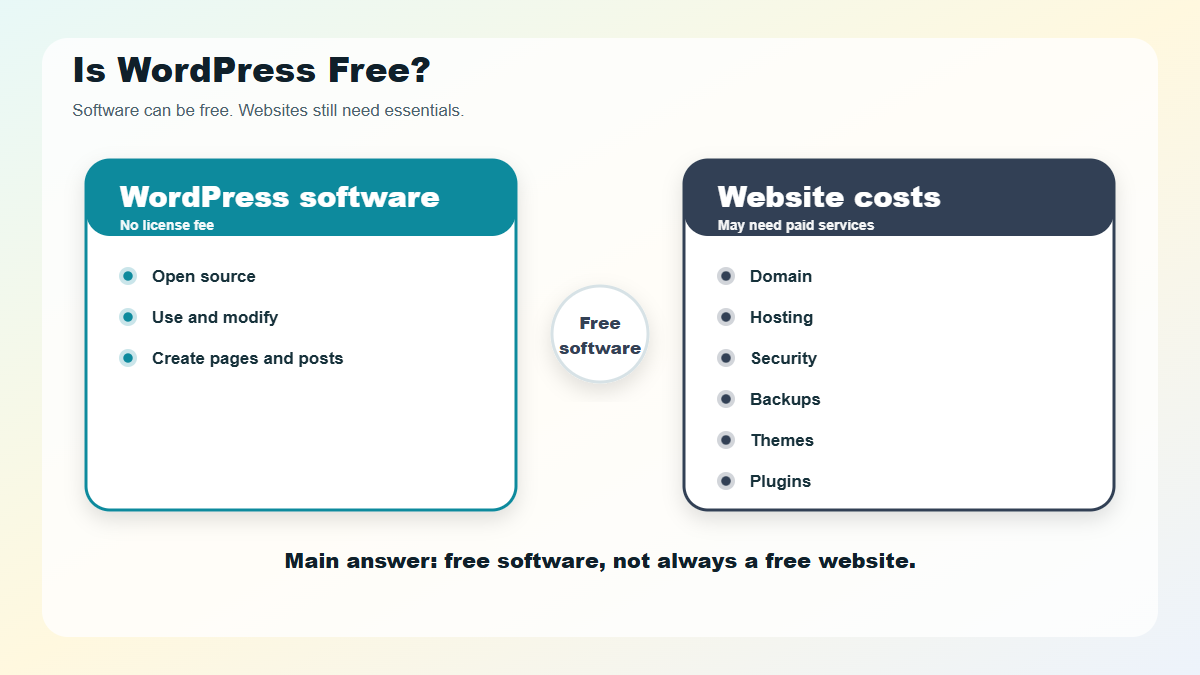
Is WordPress Free? Yes, WordPress is free if you mean the WordPress software itself. You can download, use, edit, and build with WordPress without paying a license fee because it is open-source software released under the GPL. But a live website still needs things WordPress does not magically include, such as hosting, a domain name, backups, security, design work, and sometimes paid plugins or themes.
That is why the honest answer is: WordPress is free to use, but a complete WordPress website is not always free to run.
The confusion usually comes from two different products sharing the WordPress name:
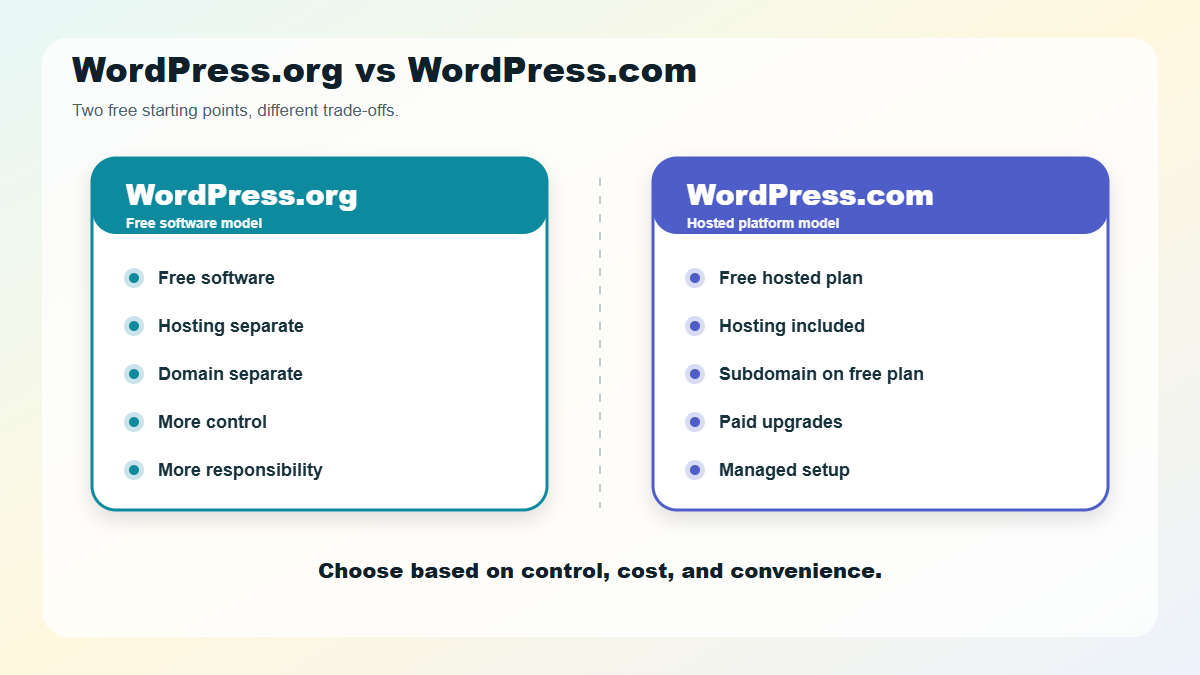
- WordPress.org is the free, self-hosted WordPress software.
- WordPress.com is a hosted website platform that includes a free plan and paid plans.
Both can be good choices. They just handle cost, control, and setup differently.
What Does “WordPress Is Free” Actually Mean?
When people say WordPress is free, they usually mean the software available from WordPress.org. According to the official WordPress.org license page, WordPress is released under the GNU General Public License, which lets you use, study, modify, and redistribute the software.
That means you do not pay WordPress.org for:
- Downloading WordPress
- Installing WordPress on a compatible host
- Creating pages and blog posts
- Using the WordPress dashboard
- Editing the WordPress code
- Building a personal, business, nonprofit, or commercial website with it
WordPress.org also explains that “free software” is not only about price. It is also about freedom: you can control, extend, and modify the code without paying a platform license fee.
But software is only one part of a website.
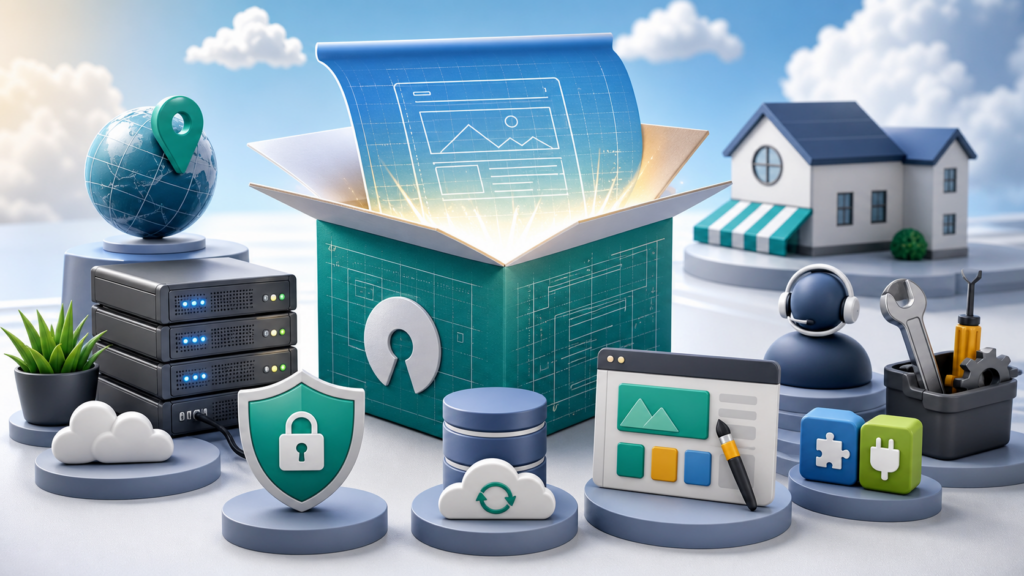
Think of WordPress like a free house blueprint. The blueprint may cost nothing, but you still need land, materials, utilities, and maintenance if you want an actual house people can visit. For a website, those “materials” are hosting, a domain, security, updates, and any extra tools your site needs.
WordPress.org vs WordPress.com: Why the Cost Question Gets Confusing
WordPress.org and WordPress.com are related, but they are not the same thing.
| Question | WordPress.org | WordPress.com |
|---|---|---|
| Is there a free option? | Yes, the software is free to download and use. | Yes, WordPress.com has a free hosted plan. |
| Is hosting included? | No. You choose and pay for hosting separately. | Yes. Hosting is included, even on the free plan. |
| Can you use a custom domain for free? | No. A domain is a separate cost. | The free plan uses a WordPress.com subdomain. Custom domains require a paid option or separate domain setup. |
| Who handles updates and server setup? | You or your hosting provider. | WordPress.com handles the managed platform layer. |
| Best fit | Users who want control, flexibility, and ownership. | Users who want a simpler hosted starting point. |
The official WordPress.org documentation describes WordPress as free, open-source publishing software, while WordPress.com is a hosted service run by Automattic. That distinction matters because WordPress.org gives you free software, while WordPress.com gives you a hosted platform with free and paid plan options.
If you are still learning the basics, the broader WordPress development guide can help you see where this cost question fits into the full website-building journey: planning, setup, themes, plugins, security, performance, and long-term maintenance. Cost is only one piece of the decision, but it affects nearly every choice after it.
What Can You Do With WordPress for Free?
You can do quite a lot without paying WordPress itself.
With the open-source WordPress software, you can:
- Install WordPress on a compatible server
- Create unlimited pages and posts, depending on your hosting limits
- Choose from free themes in the WordPress.org theme directory
- Add free plugins from the WordPress.org plugin directory
- Customize menus, widgets, settings, and site structure
- Export your content
- Build with the block editor
- Modify code if you have the skills or hire someone who does
WordPress.org’s official features page notes that WordPress can be extended with thousands of plugins and that you can use or modify the code without licensing fees.
This is the strongest reason WordPress remains popular: you are not renting permission to use the core software. You can build on it.
What Costs Money When You Use WordPress.org?
For a self-hosted WordPress.org site, the software is free, but the site infrastructure is not.
1. Domain Name
A domain name is your website address, such as example.com. WordPress does not automatically give you one for free when you use self-hosted WordPress.
Many hosting companies include a domain for the first year with certain plans, but that is a hosting-company offer, not a WordPress.org license feature. You should still check the renewal price before choosing a domain.
2. Web Hosting
Hosting is the service that stores your website files and makes them available online. Without hosting, people cannot visit your self-hosted WordPress website.
WordPress.org lists current recommended server requirements on its requirements page, including modern PHP, MySQL or MariaDB, and HTTPS support. Most beginner-friendly WordPress hosts handle these requirements for you, but the hosting plan itself usually costs money.
3. Premium Themes
A WordPress theme controls the design and layout of your site. There are many free themes, and a simple site can absolutely start with one.
Premium themes may cost money because they often include extra templates, design controls, support, updates, or bundled features. They are optional, not required.
4. Premium Plugins
Plugins add features to WordPress. Free plugins can cover many needs: contact forms, basic SEO, security hardening, caching, backups, galleries, and more.
Premium plugins are common when you need advanced features such as online courses, memberships, bookings, complex forms, ecommerce extensions, automation, or professional support.
You do not need to buy premium plugins just because you are using WordPress. Buy them only when they solve a real problem your site has.
5. Maintenance and Security
Someone has to keep a WordPress site healthy. That may be you, your hosting provider, a maintenance service, or a developer.
Typical maintenance work can include:
- Updating WordPress core, themes, and plugins
- Backing up the site
- Monitoring security
- Fixing plugin conflicts
- Improving speed
- Testing important forms or checkout flows
- Cleaning up unused themes, plugins, and user accounts
For a personal blog, this may be simple. For a business website, it can become part of the real cost of ownership.
6. Professional Help
WordPress lets you do a lot yourself, but not every site should be a DIY project.
You may choose to pay a professional for:
- Custom design
- Theme customization
- Plugin setup
- Website migration
- Speed optimization
- Security cleanup
- WooCommerce setup
- Custom development
- Ongoing support
This is not a required WordPress cost. It is a practical business decision when your time, technical comfort, or revenue depends on the site working well.
Is WordPress.com Free?
Yes, WordPress.com has a free plan. As of July 26, 2026, the official WordPress.com pricing page lists a free plan with no expiration date.
The free WordPress.com plan can be useful if you want to:
- Start writing without buying hosting
- Test the WordPress editing experience
- Create a simple personal site
- Learn before committing money
But the free plan has limits. WordPress.com states that its free plan includes a WordPress.com subdomain, limited storage, basic stats, and hosting. It does not include every feature a serious business website might need, such as a custom domain, ad-free visitor browsing, or the same level of flexibility available on paid plans.
So yes, WordPress.com can be free. But if you want a polished website on your own domain, you will likely need to move beyond the free plan.
WordPress.com Free Plan vs Self-Hosted WordPress.org
Here is the simplest way to choose between the two free starting points.
| If you want… | Better starting point |
|---|---|
| A free place to experiment online | WordPress.com free plan |
| Maximum control over files, hosting, and customization | WordPress.org |
| No hosting setup | WordPress.com |
| Full ownership and portability | WordPress.org |
| A custom domain and professional brand presence | Either, but expect paid costs |
| A business site you can grow deeply over time | Usually WordPress.org or a paid managed WordPress plan |
For beginners, WordPress.com’s free plan can feel easier because hosting is already handled. WordPress.org usually takes more setup, but it gives you more control over where the site lives and how it works.
Neither choice is “free forever” for every serious use case. The better question is: Which costs do you want to avoid now, and which trade-offs are you willing to accept later?
Can You Build a WordPress Website With No Money?
You can learn WordPress and create a basic site without spending money, especially if you use WordPress.com’s free plan or install WordPress locally on your own computer.
But a public, professional website usually needs at least:
- A domain name
- Reliable hosting or a paid hosted plan
- A backup plan
- Security basics
- A theme that fits your brand
- Any plugins required for your site’s actual purpose
You can keep costs low by starting small:
- Use a free theme first.
- Choose only essential plugins.
- Avoid premium tools until you know why you need them.
- Use a reputable beginner hosting plan.
- Skip custom development until the site has clear requirements.
The expensive version of WordPress usually happens when people buy tools before they understand their site.
What Is the Cheapest Sensible Way to Start?
For a personal blog or learning project, the cheapest sensible route is usually WordPress.com’s free plan or a local WordPress install.
For a serious public website, the cheapest sensible route is usually:
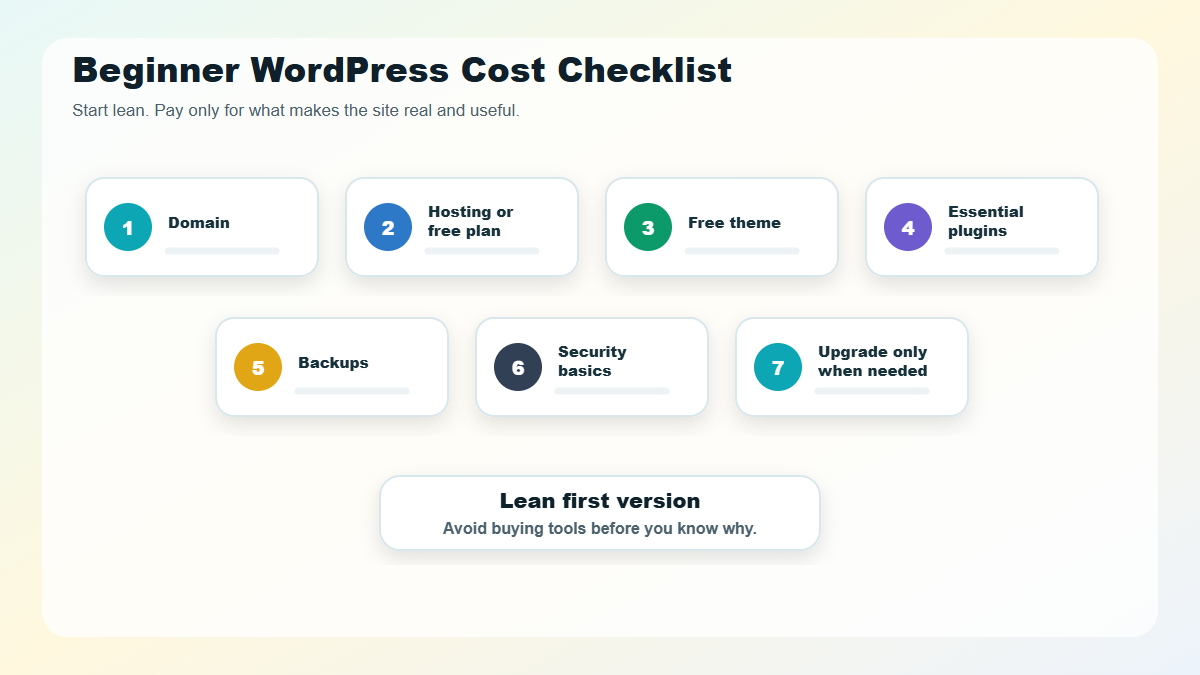
- Buy a domain or choose a hosting plan that includes one for the first year.
- Use an affordable WordPress-compatible host.
- Install WordPress.
- Start with a lightweight free theme.
- Add only essential free plugins.
- Upgrade tools only when the site outgrows the free option.
This keeps the first version lean. You are paying for the parts that make the site real and reachable, not for a pile of features you may never use.
When Is Paying for WordPress Worth It?
Paying for WordPress-related services is worth it when the paid option saves time, reduces risk, or unlocks a feature that matters to the site’s purpose.
Good reasons to pay include:
- You need your own domain and a professional brand presence.
- Your site supports a business, store, course, membership, or booking process.
- Downtime would cost you leads or sales.
- You need reliable backups and security monitoring.
- A premium plugin solves a specific requirement better than a free plugin.
- A developer can finish in days what would take you months to learn.
Weak reasons to pay include:
- A tool looks popular, but you do not know what you need it for.
- A theme demo looks impressive but does not match your content.
- A plugin promises results it cannot guarantee.
- You are trying to fix unclear planning with more software.
WordPress can be inexpensive, but it rewards clear decisions.
Common Myths About WordPress Being Free
“Free WordPress means free website.”
Not exactly. The WordPress software is free, but hosting, domains, maintenance, and premium tools can cost money.
“You must pay for WordPress to look professional.”
No. A clean free theme, good content, strong images, and careful setup can look professional. Paid design tools can help, but they are not a substitute for clarity.
“WordPress.com and WordPress.org cost the same.”
They use different models. WordPress.com bundles hosting into plans. WordPress.org gives you free software, then you choose your own hosting, domain, and tools.
“Free plugins are always risky.”
Not always. Many free plugins are well maintained and widely used. The real question is whether the plugin is reputable, updated, compatible, and necessary.
“Open source means no one supports it.”
WordPress has official documentation, community forums, developer resources, hosting companies, agencies, freelancers, and commercial plugin/theme businesses around it. Support exists, but it may come from different places depending on your setup.
So, Is WordPress Free?
WordPress is free as software. You can download it, use it, modify it, and build with it without paying a license fee. WordPress.com also offers a free hosted plan if you want a simple way to start online.
But a real website has real operating costs. A domain, hosting, security, backups, premium tools, and professional help may all become part of the budget depending on what you are building.
If you are just learning, start free. If you are building a serious website, plan for the basics before buying extras. That is the healthiest way to use WordPress: keep the software freedom, but budget honestly for the website around it.
FAQs About WordPress Costs
Is WordPress completely free?
WordPress is completely free as open-source software, but a complete live website may require paid hosting, a domain name, maintenance, and optional premium tools.
Can I use WordPress without paying?
Yes. You can use WordPress.com’s free plan, install WordPress locally on your computer, or download the WordPress.org software for free. Publishing a professional site on your own domain usually involves costs.
Do I need hosting for WordPress?
You need hosting for self-hosted WordPress.org. WordPress.com includes hosting in its plans, including the free plan.
Is WordPress free for business websites?
The WordPress software is free for business use, but most business websites still pay for a domain, hosting, security, backups, premium tools, professional setup, or ongoing maintenance.
Are WordPress plugins free?
Many WordPress plugins are free, but some offer paid versions for advanced features, support, or commercial use. You can build many simple sites using only free plugins.
Is WordPress cheaper than website builders?
WordPress can be cheaper, but it depends on your hosting, tools, and support needs. Website builders often bundle hosting and features into a single plan, while self-hosted WordPress separates the software from the services that run it.